Mobile App
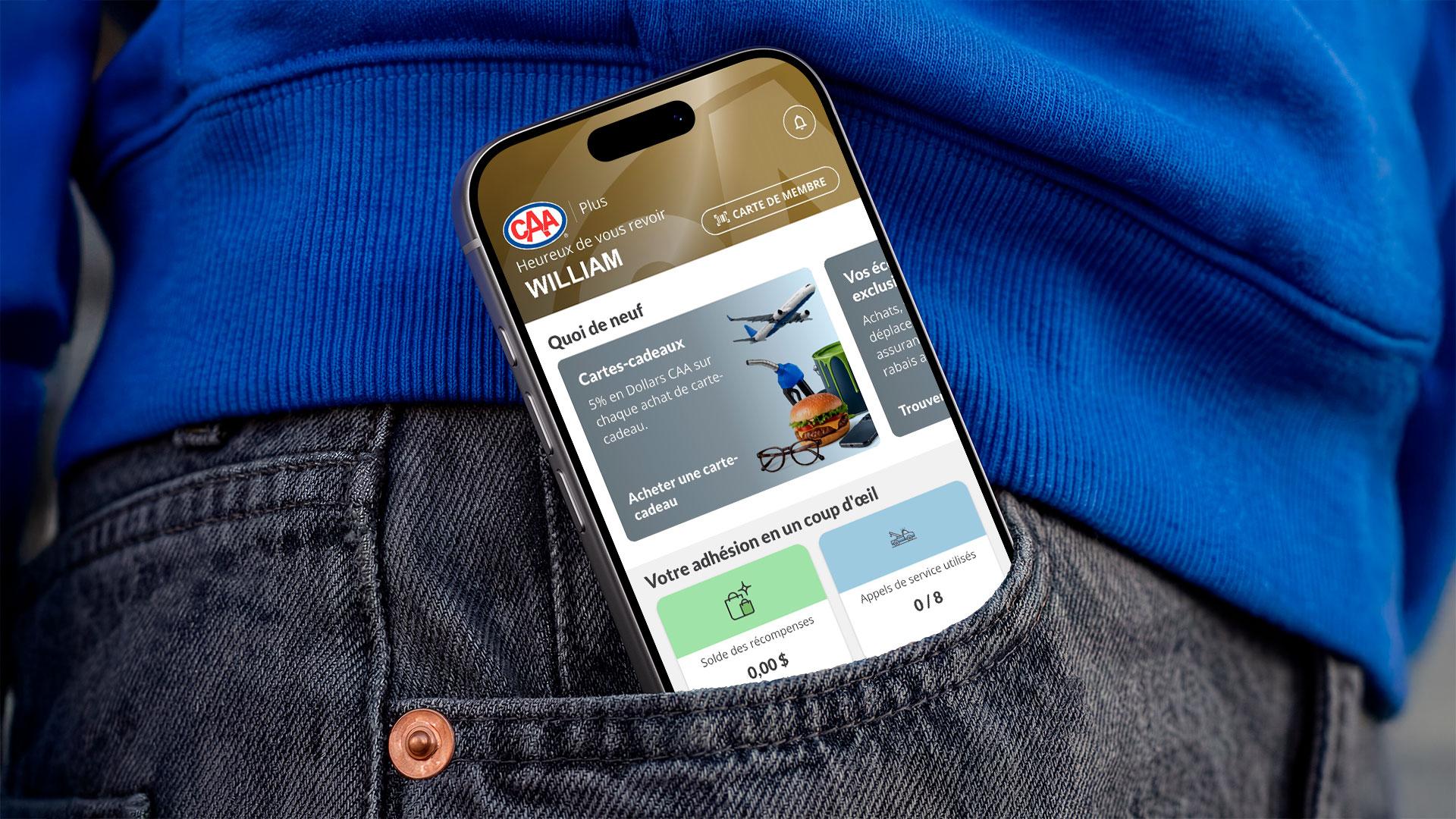
With the CAA Mobile App, you can check your CAA Dollars balance, locate nearby businesses and stores that offer discounts and CAA Dollars back, request Roadside Assistance in a snap, and much more!
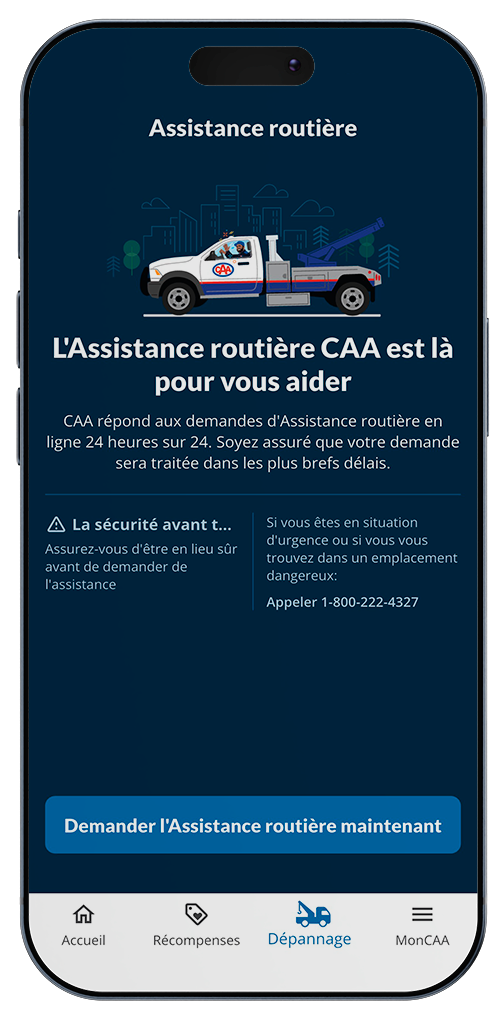
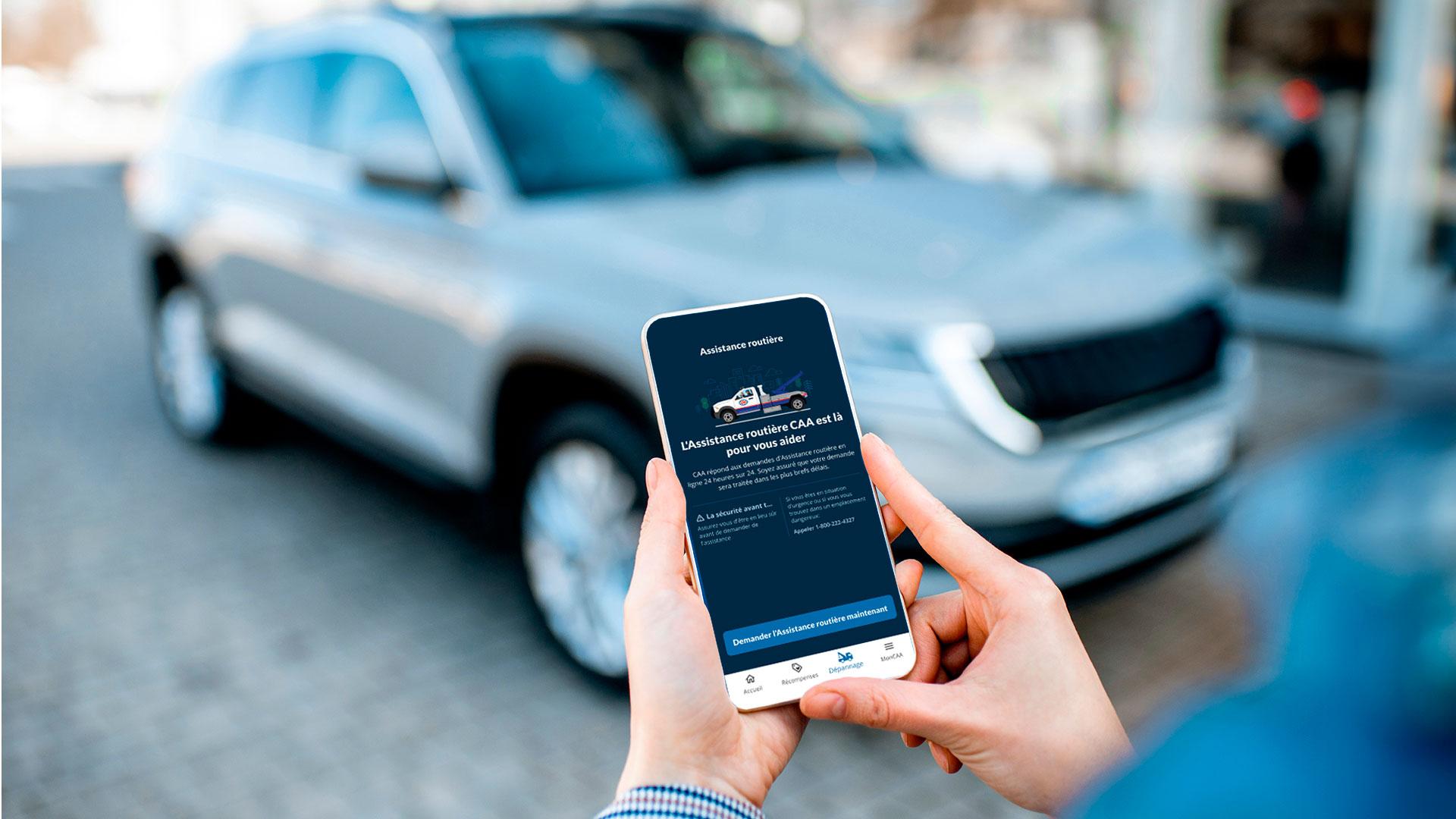
Flat tire, out of gas, or in need of a tow or battery boost? Use the App to request Roadside Assistance quickly and easily.
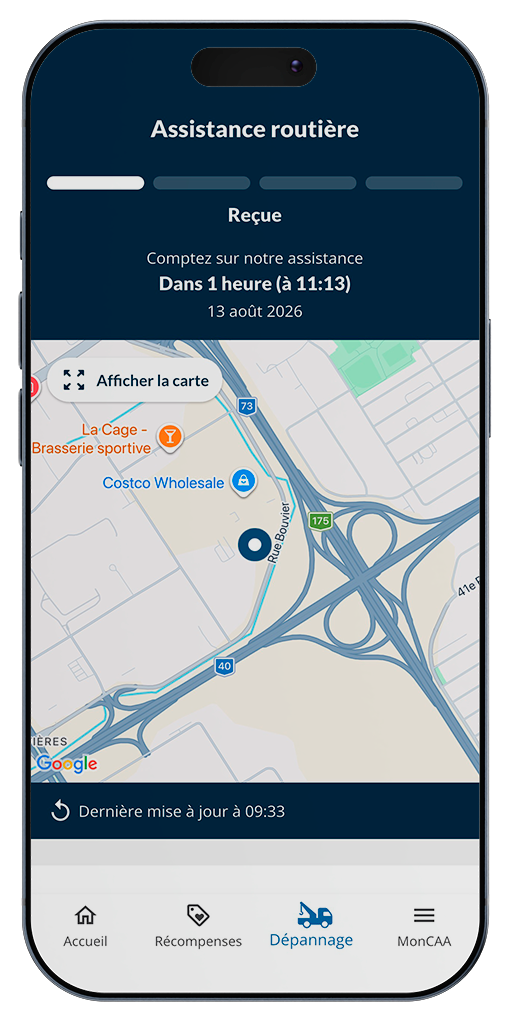
After requesting Roadside Assistance, track your tow truck in real time. You’ll know when it’s coming. A reassuring tool!
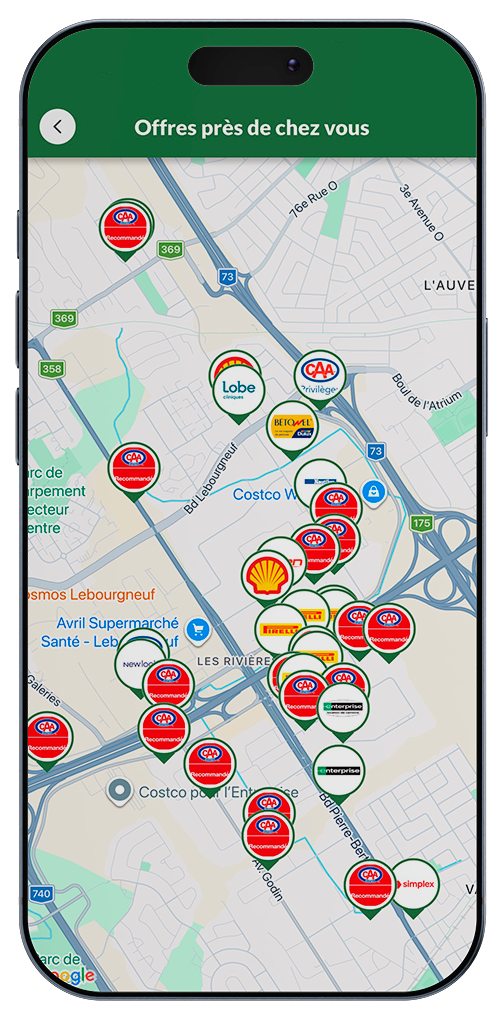
Locate all CAA-Quebec partners near you at a glance. A quick way to find businesses where you can take advantage of discounts and rebates in CAA Dollars!
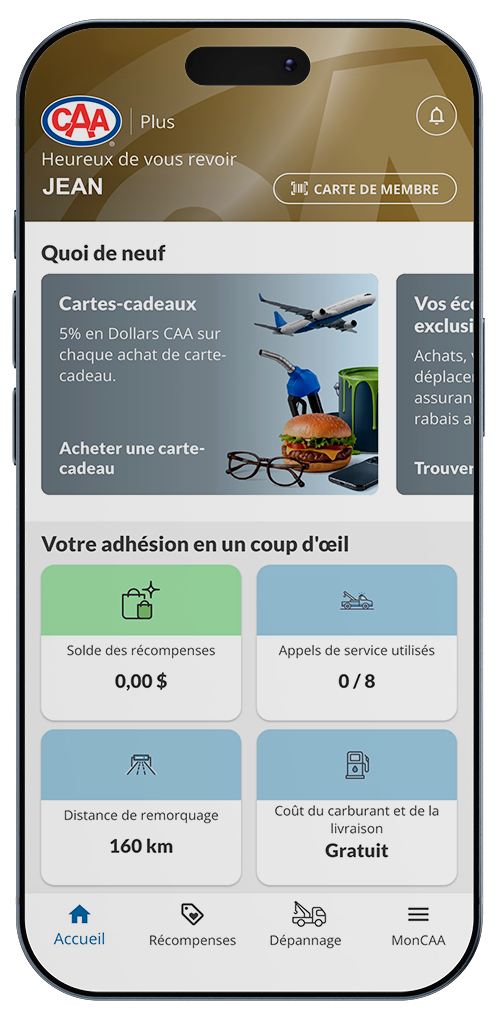
Your Member Account at your fingertips. Update your address, see how much you’ve saved with your CAA-Quebec card, and check your CAA Dollars balance.
Notifications of special offers
Virtual membership card*
Area for relevant content and important communications.
Bookmark your favourite offers
* Please carry your membership card with you nevertheless, as some partners do not yet accept virtual cards.
Do you have any questions about using our App? Ask us, we’ll be happy to answer!
Several types of iPhone, Android phones as well as tablets can support the CAA Mobile application.
Usually, devices with the following versions support the application:
iPhone: iOS version 14.2 and above
Android: version 10 and above
Good to know: If your version is not supported, the download will fail to start.
A major update was made in mid-August 2026. The first time you use the app after that date, a notification will let you know to update. If you have automatic app updates enabled, your app will be updated when you connect.
To get the full benefit of all the features, log in with your membership number (the 16-digit number on your card) and password (the same one you use for your Online Account on the website).
If you haven’t set up an Online Account on the website, you can do it in the app. The app will find it automatically. Then you’ll have access to this feature from the login screen.
There are several possibilities:
You are a new CAA-Quebec member. It can take a few days for your information to be added to the platform, so don’t worry. But if it keeps happening, contact us.
You recently moved and have joined a new CAA club. It can take a while for the information to be transferred. Contact us if you still can’t log in after a few days.
You put in the right membership number but the wrong postal code. For the app to recognize you as a member, you must use the postal code that appears on the bill for your CAA-Quebec membership.
We need to verify your identity because the app provides access to the personal information in your member account.
You can use the app in guest mode, but you won’t have access to all the features. For example, you won’t have access to your membership details and you won’t be able to request roadside assistance.
At the top of the homepage, click “Log in.” You’ll be able to log in using your membership number. This will give you access to the full content of the app.
You can use it as a non-member but you won’t have access to everything. You’ll see the homepage and the rewards program section. The rest is for members only (with identity authentication).
Scroll to the bottom of the screen and go to the “My Account” section. There is a “Log Out” button at the bottom of the page that opens.
If you use the button to log out, you’ll have to re-enter your membership number and password next time you use the app.
The mobile app and your Online Account are not linked (even though they use the same password). Therefore, you need to log in to each one separately.
No, it won’t work without an Internet connection.
You’ll find the FAQ by clicking on MyCAA. You can also reach us via “Contact us,” also under MyCAA. There you’ll find our contact information, or you can write to our support team using a short form.
Yes. Under MyCAA, you’ll find a “Contact us” section. You’ll have access to a form to write to our support team.
The TripTik® Travel Planner is no longer available in the application. You can find it on the CAA-Quebec website or directly on the AAA website.
They are two different things.
The Online Account is your member file on the website. This is where you can manage your membership. You can also see your transaction history and how much you’ve saved.
The mobile app helps you find partners near you and their exclusive offers. You can also use it to request Roadside Assistance.
You can update some of your information by tapping MyCAA at the bottom of the screen, then “Account settings.”
Personal information shown in black can be updated:
Address
Phone numbers
However, information shown in grey cannot be changed in the app:
Name
Membership number
Email address
To update these, please call us at 1-888-915-6993. You can also change your email address in your Online Account (member file on the website).
Yes. Your information is automatically updated in our files and on our website. But if you make changes within 24 hours of becoming a member, there will be a delay before the changes are applied.
Yes, you can change them. Go to MyCAA to manage your general settings: notifications, location, language, data tracking, etc. For offers, when you’re viewing one, you can click the heart icon to save it as one of your favourites. In the Rewards section, you’ll see all your favourite offers by clicking the heart icon in the top right corner.
You cannot see information about other members linked to your account (partner, child, roommate, etc.). Each member can see their own information when they log in.
You cannot change your membership type in the app. You’ll be redirected to the website for that.
You can’t add members in the app. You’ll be redirected to the website for that.
To see your information in the app, first you have to create an account (your Online Account) on the website. Your information is available in both places.
You cannot manage your membership in the app. You’ll be redirected to the website for that.
Your CAA-Quebec membership, valid for one year, has expired. It’s time to renew! Call CAA-Quebec or renew your membership on the website.
You can use the app to request a new password. You’ll get an email with instructions on changing your password in your Online Account (your membership file on the website). Your new password will also be valid on the app.
You can manage notifications in the MyCAA section of the app.
You can change the language in the MyCAA section of the app.
You can change the language in the Plus section of the app.
Live chat with an agent is not available. If you have a question about the mobile app, send an email to the support team. Go to the MyCAA section and select “Contact us.” You have access to a form to write to us. You can also click on “CAA Centre addresses” to get our contact information.
Yes. You can see the 15 most recent transactions for which you earned CAA Dollars or got an instant discount.
When you show your membership card at a partner location, the data isn’t sent to us instantly. The delay depends on the tool the partner uses to send us the information. It’s usually 30 days.
If you think your CAA Dollars in the app do not match the total in your account, contact us. We may ask for supporting documents.
Not all businesses accept digital membership cards. You should always carry your physical membership card with you.
Yes, but not all businesses accept digital membership cards. You should always carry your physical membership card with you.
For the transaction to be saved in your account, the merchant will have to record your membership number. Instant discounts are not saved when you used your digital membership card because the partner doesn’t need to record your number in order to give you the discount. You’ll get the discount, but it won’t be included in your total savings.
Your digital membership card is at the top right of the homepage.
Your digital membership card is at the top right of the homepage.
Activate geolocation in the MyCAA section of the app.
You must first turn on geolocation services in the MyCAA section of the app. Then, in the “Just for you” tab of the Rewards section, select the categories that interest you using the corresponding icons. In most cases, the map will automatically show all the discounts and rewards available in the area displayed on the screen.
To search in Canada or the United States, simply enter the address (optional), city (required), and the province or state (required) in the search box at the top of the Rewards section. The app will search based on what you entered, recentre the map, and update the list to show the results.
Simply click on the icon and the name will appear.
Click on the icon for the location you’re interested in. A window will pop up. Tap it and a new screen with more details will open.
Your CAA Dollars balance was probably applied to your renewal. If you think there’s a mistake, contact us at 1-800-686-9243.
There are 3 ways to earn CAA Dollars:
Conditions apply. You must comply with them in order to earn CAA Dollars.
There are two ways to get instant discounts:
Present your membership card at a participating partner.
Enter your membership card number when shopping online in the Rabais Dollars CAA section of our website.
Some restrictions apply. You must comply with them to get the instant discount.
Simply present your membership card when you make a transaction at select businesses. Your membership must not have expired, of course.
You can view the list right in the mobile app or at caaquebec.com/discounts.
Participating partners are selected by CAA-Quebec. Consequently, the list may be modified from time to time by CAA-Quebec without prior notice to members.
No. If you don’t present your CAA-Quebec membership card before the transaction is complete, you can’t earn CAA Dollars or get the discount later.
No. Participating partners determine the promotional offers and conditions under which you can earn CAA Dollars and get discounts, and they can change the conditions at any time and terminate such offers without notice.
CAA-Quebec is not responsible for any promotional offer that is no longer in effect.